Paid social media advertising has become a critical component of digital marketing strategies for businesses of all
sizes. Among the various advertising platforms available, Facebook Ads Manager (now part of the Meta advertising
ecosystem) remains one of the most widely used and feature-rich advertising platforms in the world. With access to
audiences across Facebook, Instagram, Messenger, and the Meta Audience Network, the platform offers advertisers the
ability to reach billions of users through a single advertising interface.
Facebook Ads Manager provides a comprehensive suite of tools for creating advertising campaigns, defining target
audiences, managing budgets, designing ad creatives, testing variations, and analyzing campaign performance. The
platform has evolved significantly since its early days as a simple boosted post feature, becoming a sophisticated
advertising system with advanced targeting options, automated optimization capabilities, and detailed reporting
tools. Whether you are running awareness campaigns, driving website traffic, generating leads, or promoting
e-commerce products, Ads Manager provides the infrastructure to manage these objectives at scale.
This article provides a detailed examination of Facebook Ads Manager’s features, campaign structure, targeting
capabilities, ad formats, budgeting options, reporting tools, and optimization strategies. The goal is to present
factual, comprehensive information that helps you understand the platform’s capabilities and evaluate how it could
fit into your advertising strategy.
I. Platform Overview and Campaign Structure
The Meta Advertising Ecosystem
Facebook Ads Manager is the primary interface for managing paid advertising across Meta’s family of platforms, which
includes Facebook, Instagram, Messenger, and the Audience Network (a network of third-party apps and websites that
display Meta ads). While the platform was originally called Facebook Ads Manager, Meta’s rebranding has expanded its
scope to encompass advertising across all Meta-owned properties. However, the core interface and tools remain
accessible through the same Ads Manager dashboard at business.facebook.com or through Meta Business Suite.
The advertising system is organized around three structural levels: Campaigns, Ad Sets, and Ads. Understanding this
hierarchy is essential for effective campaign management.
| Level | What You Define | Purpose |
|---|---|---|
| Campaign | Objective (awareness, traffic, engagement, leads, sales) |
Tells Meta what outcome you want to achieve |
| Ad Set | Audience, budget, schedule, placements | Defines who sees your ads, when, and where |
| Ad | Creative (image/video, text, headline, CTA) | The actual content users see in their feed |
This three-tier structure allows advertisers to organize campaigns logically, test different audience segments within
the same campaign, and run multiple creative variations within each ad set. A single campaign might contain several
ad sets targeting different demographics or interests, with each ad set containing multiple ad creatives to identify
the best-performing combinations.
Campaign Objectives
When creating a campaign, the first decision is selecting an objective. Meta has recently simplified its objective
framework into six main categories: Awareness (maximizing reach and brand recall), Traffic (driving visits to a
website, app, or landing page), Engagement (encouraging interactions with posts, pages, events, or messages), Leads
(collecting contact information through lead forms, calls, or website conversions), App Promotion (driving app
installs and in-app actions), and Sales (driving purchases, catalog sales, or conversions on a website or app).
The objective selection is crucial because it tells Meta’s algorithm what outcome to optimize for. If you select a
Traffic objective, Meta will show your ads to people within your target audience who are most likely to click
through to your destination. If you select a Sales objective, the algorithm will prioritize showing ads to people
who are most likely to complete a purchase. Choosing the right objective that aligns with your actual business goal
is one of the most important decisions in the campaign creation process.
II. Audience Targeting
Core Audience Targeting
Facebook Ads Manager provides some of the most granular audience targeting options available in digital advertising.
Core audience targeting allows advertisers to define audiences based on demographics (age, gender, education, job
title, relationship status), location (country, state, city, zip code, or radius around a specific address),
interests (based on pages liked, content engaged with, and inferred interests), behaviors (purchase behavior, device
usage, travel patterns), and connections (people who like your page, friends of people who like your page, or their
exclusions).
The depth of interest and behavior targeting is extensive. Advertisers can target users interested in specific
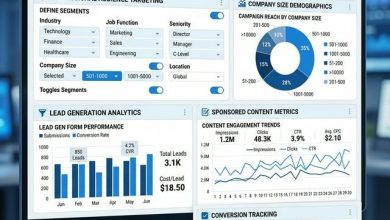
topics, brands, activities, hobbies, and lifestyles. For B2B advertisers, targeting by job title, industry, company
size, and seniority level enables reaching business decision-makers. For e-commerce, behavioral targeting based on
purchase behavior and spending patterns helps identify likely buyers. This level of targeting granularity allows
advertisers to create highly specific audience segments, though it requires careful balance to avoid making
audiences too narrow, which can limit reach and increase costs.
Custom Audiences
Custom Audiences allow advertisers to target people who have already interacted with their business. Sources for
Custom Audiences include website visitors tracked through the Meta Pixel (a JavaScript code snippet installed on
your website), customer lists uploaded from email databases or CRM systems (matched against Facebook user data), app
users who have taken specific actions within a mobile app, people who have engaged with your Facebook or Instagram
content, video viewers who have watched a specified percentage of your video content, and people who have opened or
submitted lead forms.
Custom Audiences are particularly powerful for retargeting campaigns, where advertisers show ads to people who have
already demonstrated interest—such as visitors who viewed a product page but did not purchase, or users who added
items to their shopping cart but abandoned the checkout process. These warm audiences typically produce higher
conversion rates and lower costs per acquisition compared to cold audience campaigns.
Lookalike Audiences
Lookalike Audiences extend the reach of Custom Audiences by finding new people who share similar characteristics with
an existing audience. Advertisers select a source audience (such as a Custom Audience of existing customers) and a
percentage size (1% to 10% of the population in the target country). A 1% Lookalike Audience represents the top 1%
of people who most closely match the source audience, providing the highest similarity but smallest reach. Larger
percentages increase reach but decrease the precision of the match. Lookalike Audiences are widely used as a
prospecting tool for finding new potential customers who are statistically similar to a business’s existing customer
base.
III. Ad Formats and Creative Options
Available Ad Formats
Facebook Ads Manager supports a variety of ad formats designed for different objectives and content types. Single
Image ads are the most common format, displaying a static image with headline, description text, and a
call-to-action button. Video ads support various lengths and aspect ratios, with short-form vertical video
performing particularly well in mobile placements like Stories and Reels. Carousel ads display multiple images or
videos that users can swipe through, each with its own link—ideal for showcasing multiple products or telling a
sequential story. Collection ads combine a cover image or video with a product catalog, opening into an immersive
Instant Experience when tapped on mobile devices.
Instant Experience ads (formerly Canvas ads) create full-screen mobile experiences that load instantly within the
Facebook or Instagram app. Slideshow ads create lightweight video-like ads from a series of static images, suitable
for audiences with slower internet connections. Lead Generation ads include built-in forms that users can complete
without leaving Facebook, with forms pre-populated with the user’s profile information for frictionless submission.
Dynamic ads automatically show the right products to people based on their browsing behavior, pulling from a product
catalog feed. Each format has specific creative requirements regarding image dimensions, video length, text limits,
and file sizes.
Creative Best Practices
Meta’s advertising system evaluates ad quality through a combination of quality ranking, engagement rate ranking, and
conversion rate ranking. These quality signals influence how often an ad is shown and how much it costs. Ads that
receive positive engagement (clicks, reactions, shares, comments) are rewarded with lower costs and broader
delivery, while ads that receive negative signals (people hiding the ad or marking it as irrelevant) face higher
costs and reduced reach. This quality-based system means that creative quality directly impacts campaign economics.
IV. Budget Management and Bidding
Budget Types
Ads Manager offers two budget approaches: daily budgets (the average amount spent per day) and lifetime budgets (the
total amount spent over the entire campaign duration). Daily budgets provide more consistent daily spending and are
easier to manage for ongoing campaigns, while lifetime budgets give Meta’s algorithm more flexibility to optimize
spending across the campaign period, potentially spending more on high-opportunity days and less on slower days.
Campaign Budget Optimization (CBO), now called Advantage Campaign Budget, automatically distributes a campaign’s
budget across ad sets to maximize overall results, directing more spend to better-performing ad sets in real time.
Bidding Strategies
Several bidding strategies are available depending on the campaign objective and advertiser preferences. Lowest Cost
(default) lets Meta’s algorithm find the most results at the lowest cost per result without a bid cap. Cost Cap
tells the algorithm to keep the average cost per result at or below a specified amount. Bid Cap sets a maximum bid
in the auction, providing strict cost control but potentially limiting delivery. Minimum ROAS (Return on Ad Spend)
targets a minimum return for each dollar spent, optimizing for value rather than volume. The right bidding strategy
depends on whether the advertiser prioritizes volume of results, cost efficiency, or return on investment.
V. Tracking and Analytics
Meta Pixel and Conversions API
The Meta Pixel is a piece of JavaScript code installed on a website that tracks user actions after they click on or
view an ad. The Pixel enables conversion tracking (measuring specific actions like purchases, registrations, and
form submissions), audience building (creating Custom Audiences based on website behavior), and optimization
(providing data that helps Meta’s algorithm find people most likely to take desired actions). The Conversions API
(CAPI) is a server-side tracking solution that sends event data directly from a website’s server to Meta, providing
more reliable data collection that is less affected by browser restrictions, ad blockers, and cookie limitations.
Reporting and Performance Metrics
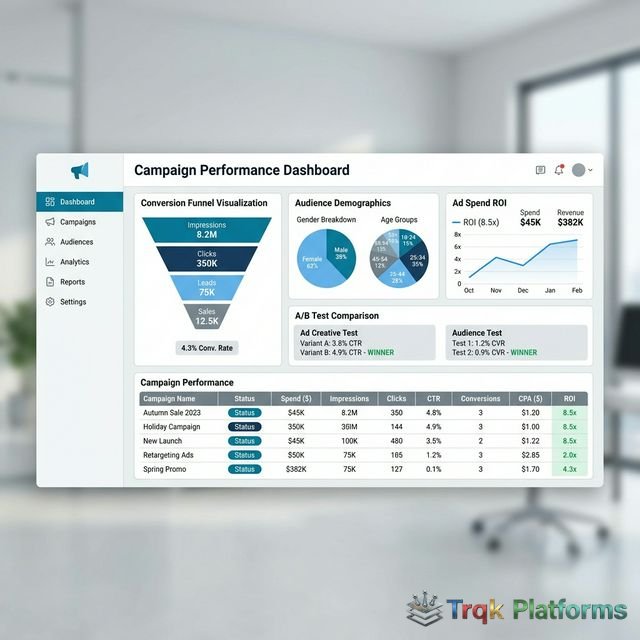
Ads Manager provides detailed campaign reporting with metrics organized by performance, engagement, conversions, and
cost efficiency. Key metrics include reach and impressions, click-through rate (CTR), cost per click (CPC), cost per
thousand impressions (CPM), conversion rate, cost per conversion, return on ad spend (ROAS), frequency (average
number of times each person saw the ad), and relevance diagnostics (quality, engagement, and conversion rankings).
Reports can be customized with different columns, filtered by date range, broken down by demographics, placement,
device, or time period, and exported for further analysis.
| Metric Category | Key Metrics | What It Tells You |
|---|---|---|
| Reach & Delivery | Reach, Impressions, Frequency | How many people saw your ad and how often |
| Engagement | CTR, Clicks, Reactions, Shares | How effectively your ad generates interaction |
| Conversions | Purchases, Leads, Add to Cart | Whether ads are driving desired business outcomes |
| Cost Efficiency | CPC, CPM, ROAS, Cost per Result | How efficiently your budget is being spent |
Advantage+ and Automation Features
Meta has increasingly introduced automation features under the Advantage+ branding that use machine learning to optimize various aspects of campaign management. Advantage+ Shopping Campaigns automate the entire campaign setup process for e-commerce advertisers, combining audience targeting, creative selection, and budget allocation into a single automated campaign type. Advantage+ Audience uses Meta’s algorithm to find the optimal audience for your ads, starting from suggested audiences but expanding beyond them when the system identifies better-performing segments. Advantage+ Creative automatically applies enhancements to ad creatives, such as adjusting brightness, cropping images, or adding music to video ads.
Advantage+ Placements, previously known as Automatic Placements, distributes ads across all available placements including Facebook Feed, Instagram Feed, Stories, Reels, Messenger, and the Audience Network, letting the algorithm allocate budget to the best-performing placements. These automation features are designed to reduce the manual optimization work required from advertisers while potentially improving campaign performance through Meta’s extensive data signals and machine learning capabilities. However, experienced advertisers sometimes prefer manual control over these elements, particularly when managing large budgets or operating in niche markets where the algorithm may have less data to work with.
A/B Testing
Ads Manager includes built-in A/B testing (split testing) tools that allow advertisers to test variables including creative elements, audience targeting, placements, and delivery optimization strategies. When running an A/B test, Meta splits the target audience evenly between test variations to ensure a fair comparison, then determines a statistically significant winner based on the selected performance metric. This systematic testing approach helps advertisers make data-driven decisions about which audiences respond best to specific creatives, which targeting strategies are most cost-effective, and which placements deliver the strongest results for their specific objectives.
VI. Strengths and Limitations
Strengths
- Massive reach across Facebook, Instagram, Messenger, and Audience Network
- Highly granular audience targeting including demographics, interests, and behaviors
- Powerful retargeting through Custom Audiences and Lookalike Audiences
- Diverse ad format options for different objectives and content types
- Sophisticated algorithm optimization that improves with more data
- Flexible budgeting with daily and lifetime options
- Detailed reporting and analytics for performance measurement
- A/B testing tools for systematic creative and audience testing
- Integration with e-commerce platforms for dynamic product ads
Limitations
- Increasing costs in competitive markets as more advertisers join the platform
- iOS privacy changes (App Tracking Transparency) have impacted targeting and measurement accuracy
- Complex interface with a steep learning curve for new advertisers
- Account restrictions and ad disapprovals can be challenging to resolve
- Organic reach for business pages has declined, increasing reliance on paid advertising
- Ad fatigue can set in quickly, requiring frequent creative refreshes
- Attribution modeling has become less precise due to privacy regulations and browser changes
- Algorithm requires sufficient data volume (conversions) to optimize effectively
VII. Alternatives to Consider
The digital advertising landscape includes several major platforms that may complement or serve as alternatives to
Facebook Ads Manager depending on your target audience and objectives. Google Ads provides access to search
intent-based advertising through Search, Display, YouTube, and Shopping campaigns, making it particularly effective
for capturing demand from users actively searching for products or services. LinkedIn Ads is the leading platform
for B2B advertising, offering professional targeting by job title, company, industry, and seniority, though at
higher cost-per-click rates. TikTok Ads Manager has emerged as a significant platform for reaching younger
demographics with short-form video content. Microsoft Advertising (Bing Ads) provides access to Search and Display
inventory with often lower competition and costs. Pinterest Ads targets users in a discovery and planning mindset,
making it effective for lifestyle, home, fashion, and food-related businesses. X (Twitter) Ads offers
conversation-based targeting and trend promotion capabilities.
VIII. Conclusion
Facebook Ads Manager remains one of the most powerful and versatile digital advertising platforms available, offering
unmatched audience reach across Meta’s family of apps, sophisticated targeting capabilities, diverse ad formats, and
detailed performance analytics. The platform’s strength lies in its combination of massive user data, advanced
machine learning optimization, and flexible campaign structures that can accommodate virtually any advertising
objective from brand awareness to direct response and e-commerce sales.
However, effective use of Ads Manager requires understanding its campaign structure, mastering its targeting options,
creating compelling ad creatives, and continuously monitoring and optimizing campaign performance. The learning
curve can be significant, and changes in privacy regulations have added complexity to tracking and attribution. For
businesses willing to invest the time to learn the platform or work with experienced advertising professionals,
Facebook Ads Manager can be a highly effective channel for reaching and converting target audiences at scale. As
with any advertising platform, start with clear objectives, test systematically, and make data-driven decisions
based on the metrics that matter most to your business goals.
About The Publisher

TRQK Platforms Editor
The TRQK Editorial Team meticulously investigates and evaluates the world's most powerful digital platforms. Our mission is to provide transparent, in-depth reviews that empower businesses to scale with the right technology.