Choosing the right e-commerce platform is one of the most consequential decisions an online business owner can make.
The platform you select determines how your store looks and functions, what payment methods you can accept, how
easily you can manage inventory and orders, and how your store scales as your business grows. Two platforms dominate
the e-commerce landscape: Shopify, a fully hosted solution that prioritizes simplicity and all-in-one convenience,
and WooCommerce, an open-source WordPress plugin that offers maximum flexibility and control for those willing to
manage more technical aspects.
Shopify powers over 4.8 million online stores worldwide and has become synonymous with user-friendly e-commerce.
Founded in 2006 by Tobias Lütke, Daniel Weinand, and Scott Lake, Shopify provides everything needed to launch and
run an online store—hosting, security, payment processing, and hundreds of built-in features—within a single monthly
subscription. WooCommerce, launched in 2011 and acquired by Automattic (the company behind WordPress.com), takes a
fundamentally different approach. As a free, open-source plugin for WordPress, WooCommerce transforms any WordPress
website into a fully functional online store, giving store owners complete control over their code, hosting, and
customization while leveraging the vast WordPress ecosystem.
This article provides a detailed, side-by-side comparison of Shopify and WooCommerce across all the dimensions that
matter most for e-commerce businesses: ease of use, features, pricing, customization, payment processing, SEO
capabilities, scalability, and support. The goal is to present objective, factual information that helps you
determine which platform best aligns with your specific business needs and technical capabilities.
I. Platform Architecture and Setup
Shopify: Hosted SaaS Solution
Shopify is a fully hosted Software-as-a-Service (SaaS) platform, which means Shopify handles all the technical
infrastructure—web hosting, security certificates, server maintenance, software updates, and backups. Users sign up
for a Shopify account, choose a theme, add products, and can have a functioning online store within hours. There is
no need to purchase separate hosting, install software, or manage server configurations. This hosted approach
significantly reduces the technical barrier to entry and eliminates many of the maintenance responsibilities that
come with self-hosted solutions.
WooCommerce: Self-Hosted Open Source
WooCommerce requires a WordPress website as its foundation, which means store owners need to arrange their own web
hosting, install WordPress, install the WooCommerce plugin, configure their store settings, and manage ongoing
technical maintenance including security updates, backups, and performance optimization. While this requires more
technical involvement than Shopify, it provides complete ownership of your store’s data and infrastructure. You are
not dependent on a third-party platform’s decisions about features, pricing, or policies. The setup process takes
longer than Shopify—typically several hours to a few days depending on the level of customization—but the
flexibility gained is substantial.
II. Ease of Use
Shopify’s User Experience
Shopify’s interface is designed for users without technical backgrounds. The dashboard is clean and organized, with
logical navigation for managing products, orders, customers, analytics, and marketing. Adding products involves
filling out straightforward forms for product details, images, pricing, inventory, and shipping information. The
theme editor uses a visual drag-and-drop interface that allows customization without code knowledge. Shopify’s
onboarding process guides new users through essential setup steps, and the platform handles technical complexities
like SSL certificates, PCI compliance, and server performance automatically.
WooCommerce’s User Experience
WooCommerce’s ease of use depends heavily on the user’s familiarity with WordPress. For experienced WordPress users,
adding WooCommerce is a natural extension of an already-familiar platform. For users new to both WordPress and
e-commerce, the learning curve is steeper than Shopify. The WordPress dashboard, while powerful, presents more
options and settings than a dedicated e-commerce interface, and essential e-commerce tasks like configuring shipping
zones, tax rules, and payment gateways require navigating through multiple settings pages. However, once the initial
setup and configuration are complete, day-to-day store management tasks—adding products, processing orders, managing
inventory—are intuitive and well-organized within the WooCommerce interface.
III. Design and Customization
Themes and Templates
Both platforms offer extensive theme libraries for storefront design:
| Aspect | Shopify | WooCommerce |
|---|---|---|
| Free Themes | ~12 free themes | Thousands of free WordPress themes |
| Premium Themes | ~190 paid themes ($150-$400) | Thousands of premium themes ($30-$200) |
| Customization Level | Visual editor + Liquid code access | Full PHP/CSS/HTML access + page builders |
| Code Access | Shopify’s Liquid templating language | Full WordPress/PHP codebase |
| Page Builders | Built-in theme editor | Elementor, Divi, Beaver Builder, etc. |
Customization Depth
WooCommerce offers superior customization depth because it runs on WordPress, an open-source platform with full code
access. Store owners can modify any aspect of their store’s appearance and functionality—from minor CSS adjustments
to complete custom theme development and plugin creation. Popular WordPress page builders like Elementor and Divi
can be used alongside WooCommerce to create highly customized layouts without writing code. Shopify’s customization,
while more limited in scope, is sufficient for most standard e-commerce needs. The Shopify Theme Editor provides
visual customization tools, and developers can access the underlying Liquid template language for deeper
modifications. Shopify’s approach trades unlimited flexibility for a more controlled, stable environment where
themes are less likely to conflict with core functionality.
IV. Features and Functionality
Core E-commerce Features
Both platforms provide comprehensive core e-commerce functionality including product management with variants,
categories, and collections; inventory tracking and low-stock alerts; order management and fulfillment workflows;
customer accounts and profiles; discount codes and promotional pricing; shipping rate configuration with multiple
zones and methods; tax calculation with automatic rules for different jurisdictions; abandoned cart recovery emails;
digital product and downloadable goods support; and product review and rating systems.
App and Plugin Ecosystems
Shopify’s App Store contains over 8,000 apps that extend store functionality across categories including marketing,
sales channels, inventory management, customer service, shipping, accounting, and reporting. Apps are vetted by
Shopify and designed to integrate cleanly with the platform. However, many essential features that might be expected
as built-in functionality—such as advanced reporting, loyalty programs, or multi-language support—require paid app
subscriptions that increase the total cost of running a store.
WooCommerce leverages the broader WordPress plugin ecosystem (over 60,000 plugins) in addition to
WooCommerce-specific extensions. The WooCommerce marketplace offers hundreds of official extensions, and thousands
of third-party WooCommerce plugins are available from independent developers. WooCommerce’s open-source nature means
that developers can create custom plugins for any functionality not covered by existing options. However, the vast
plugin ecosystem requires more careful evaluation, as plugin quality and compatibility vary more widely than in
Shopify’s curated app store.
V. Payment Processing
Payment Gateway Options
Shopify offers its own payment processing solution, Shopify Payments (powered by Stripe), which eliminates the
transaction fees that Shopify charges when using third-party payment gateways. Shopify Payments provides competitive
card processing rates that decrease with higher-tier plans. If merchants prefer to use alternative payment
gateways—PayPal, Square, Authorize.net, or any of the 100+ supported gateways—Shopify charges an additional
transaction fee (0.5% to 2% depending on the plan) on top of the gateway’s own fees. This fee structure incentivizes
using Shopify Payments.
WooCommerce does not charge any transaction fees regardless of which payment gateway you use. The platform supports
virtually every payment gateway through free and premium plugins, including Stripe, PayPal, Square, Authorize.net,
Amazon Pay, Apple Pay, Google Pay, and dozens of regional payment providers. The only costs are the gateway’s own
processing fees (typically 2.9% + $0.30 per transaction for major providers). This flexibility in payment processing
without platform-level fees can represent significant savings for high-volume stores.
VI. Pricing Comparison
| Cost Element | Shopify | WooCommerce |
|---|---|---|
| Platform Cost | $39-$399/month | Free (open source) |
| Hosting | Included | $5-$50/month (varies by provider) |
| SSL Certificate | Included | Usually included with hosting |
| Transaction Fees | 0% with Shopify Payments; 0.5-2% with others | 0% (only gateway fees) |
| Premium Theme | $150-$400 (one-time) | $30-$200 (one-time) |
| Essential Extensions | $10-$100/month per app | Free-$200/year per plugin |
Shopify’s pricing is more predictable—the monthly subscription includes hosting, security, and most updates.
WooCommerce’s total cost is more variable and depends on hosting choice, theme selection, and the number of premium
plugins required. A basic WooCommerce store can operate for as little as $10-$20 per month (hosting + domain), while
a fully featured store with premium extensions might cost $50-$150 per month—still potentially less than Shopify at
comparable feature levels, but requiring more setup effort.
Pricing accurate as of early 2026 — verify current rates on official websites.
VII. SEO and Marketing
Search Engine Optimization
Both platforms provide solid SEO foundations, though WooCommerce generally offers more SEO flexibility. WooCommerce,
running on WordPress, benefits from SEO-focused plugins like Yoast SEO and Rank Math that provide comprehensive
on-page optimization, XML sitemap generation, schema markup, breadcrumb navigation, and detailed SEO analysis for
every page and product. WordPress’s flexible permalink structure allows complete URL customization, and the
platform’s content management capabilities support robust content marketing strategies alongside e-commerce
functionality.
Marketing Tools
Shopify includes built-in email marketing tools (Shopify Email), social media selling integrations (Facebook,
Instagram, TikTok, Pinterest shops), abandoned cart recovery, discount management, and a basic blogging platform.
Many advanced marketing features require app installations. WooCommerce marketing capabilities depend entirely on
which plugins are installed, with options available for email marketing integration (Mailchimp, Klaviyo), social
selling, SEO optimization, content marketing through WordPress’s robust blogging system, and marketing automation
through various plugin combinations.
VIII. Scalability and Performance
Handling Growth
Shopify handles scalability largely automatically through its managed hosting infrastructure. As store traffic and
order volume grow, Shopify’s servers handle the increased load without requiring manual server upgrades or
performance optimization from the store owner. Shopify Plus, the enterprise tier starting at approximately $2,000
per month, provides additional scalability features including dedicated resources, custom checkout functionality,
and higher API limits for very high-volume merchants.
WooCommerce scalability depends on the hosting infrastructure chosen by the store owner. Basic shared hosting may
struggle with high-traffic spikes, while managed WordPress hosting providers like WP Engine, Kinsta, or Cloudways
offer optimized environments that can scale effectively with growing traffic. Store owners need to proactively
manage performance through caching, CDN implementation, database optimization, and potentially upgrading hosting
plans as traffic grows. This requires more technical awareness but also provides more control over the performance
optimization process.
Multi-Channel Selling
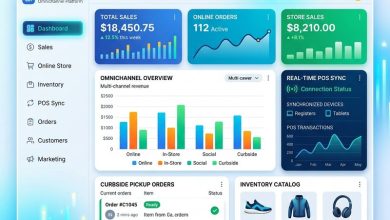
Shopify has invested heavily in multi-channel selling capabilities, offering native integrations with Facebook Shops, Instagram Shopping, TikTok, Pinterest, Google Shopping, Amazon, eBay, and Walmart Marketplace. These integrations allow merchants to sync product catalogs, manage inventory across channels, and process orders from multiple sales channels within the Shopify dashboard. Shopify’s Point of Sale (POS) system extends selling to physical retail locations, unifying online and in-person sales under one platform. The POS hardware includes card readers, receipt printers, and tablet stands, making it a comprehensive solution for omnichannel retail.
WooCommerce also supports multi-channel selling, though it relies more on plugin integrations than built-in features. Plugins are available for selling on Facebook, Instagram, Google Shopping, Amazon, and eBay, and WooCommerce’s API allows integration with virtually any marketplace or sales channel. However, the multi-channel setup process requires installing and configuring separate plugins for each channel, which is less seamless than Shopify’s native approach. WooCommerce does not offer its own POS system, though third-party POS solutions like Square and Oliver POS provide WooCommerce integration for in-person selling.
Shipping and Fulfillment
Shopify provides built-in shipping features including calculated shipping rates from major carriers (USPS, UPS, FedEx, DHL), discounted shipping labels through Shopify Shipping (savings of up to 88% on USPS and UPS rates), automatic tracking number updates, and integration with fulfillment services including Shopify Fulfillment Network. For international sellers, Shopify includes customs declaration generation and duties and taxes estimation at checkout through Shopify Markets. These integrated shipping tools reduce the need for third-party shipping apps for many standard e-commerce operations.
WooCommerce’s shipping capabilities are highly flexible but require more configuration. The core plugin includes flat-rate, free, and local pickup shipping options with zone-based configuration. Calculated real-time shipping rates from carriers require additional plugins such as WooCommerce Shipping (which provides USPS and DHL label printing) or carrier-specific plugins for UPS, FedEx, and others. Fulfillment integrations are available through plugins connecting to ShipStation, ShipBob, Fulfillment by Amazon, and other third-party logistics providers. While WooCommerce’s approach requires more setup effort, it also allows more granular control over shipping rules, rates, and workflows through custom plugin combinations.
Security and Compliance
Shopify handles PCI DSS compliance, SSL certificates, and security monitoring as part of its managed platform. Store owners do not need to worry about server security patches, firewall configuration, or data encryption implementation-Shopify manages all of these aspects automatically. This managed security approach is one of the strongest arguments for choosing a hosted platform, as security breaches can have devastating consequences for e-commerce businesses including customer data exposure, financial losses, and regulatory penalties.
WooCommerce store security is the responsibility of the store owner and their hosting provider. This includes keeping WordPress core, WooCommerce plugin, and all other plugins updated with security patches, implementing SSL certificates (usually provided by the hosting provider), configuring firewalls and security plugins (such as Wordfence or Sucuri), managing backups and disaster recovery procedures, and ensuring PCI compliance if directly handling credit card data. Managed WordPress hosting providers handle many of these security tasks, but store owners still need to be proactive about plugin updates and security best practices. Using established payment gateways like Stripe or PayPal that process payments on their own secured servers reduces the PCI compliance burden significantly.
IX. Strengths and Limitations
Shopify Strengths
- Fastest path from zero to a functioning online store
- No technical maintenance or hosting management required
- Reliable, managed security and PCI compliance
- Integrated payment processing with Shopify Payments
- Extensive multi-channel selling (social, marketplaces, POS)
- 24/7 customer support via phone, chat, and email
- App ecosystem covers most common needs
Shopify Limitations
- Monthly subscription costs that increase with plan tier
- Transaction fees for third-party payment gateways
- Less customization flexibility than open-source alternatives
- URL structure constraints for SEO
- Platform dependency—migrating away requires effort
- Essential features often require paid app subscriptions
WooCommerce Strengths
- Free core software with no ongoing platform fees
- Complete customization and code access
- No transaction fees from the platform itself
- Choice of any hosting provider worldwide
- Full data ownership and portability
- Massive plugin ecosystem for any functionality
- Superior content marketing through WordPress blogging
- Flexible SEO with full URL control
WooCommerce Limitations
- Steeper learning curve, especially for non-technical users
- Requires self-managed hosting, security, and maintenance
- Performance depends on hosting quality and configuration
- Plugin compatibility issues can arise
- Security responsibility falls on the store owner
- No dedicated support team—relies on community and hosting support
X. Conclusion
Shopify and WooCommerce represent two fundamentally different philosophies for building an online store, and the
right choice depends primarily on your technical comfort level, budget priorities, and customization needs. Shopify
is the stronger choice for entrepreneurs and businesses that want to get a professional store running quickly
without dealing with technical infrastructure, are comfortable with predictable monthly costs, prefer a managed
platform where hosting, security, and updates are handled automatically, and value integrated multi-channel selling
capabilities.
WooCommerce is the stronger choice for businesses and developers that want maximum control over their store’s
functionality and appearance, prefer to minimize ongoing platform costs through self-hosted infrastructure, need
deep integration with content marketing through WordPress, value complete data ownership and platform independence,
and have the technical capability (or access to developer resources) to manage hosting and maintenance. Both
platforms power successful online businesses ranging from small startups to major enterprises, and neither is
objectively superior—the best choice is the one that aligns with your specific business circumstances, technical
resources, and long-term goals.
About The Publisher

TRQK Platforms Editor
The TRQK Editorial Team meticulously investigates and evaluates the world's most powerful digital platforms. Our mission is to provide transparent, in-depth reviews that empower businesses to scale with the right technology.